· Prices checked · 7 min · Web design · Humza Sheikh
Website Launch Checklist: The 12 Checks We Run
A website launch checklist in 12 checks, from Google's guides and the audit we run on our own site: 60 of 60 URLs passed it on 21 November 2026.
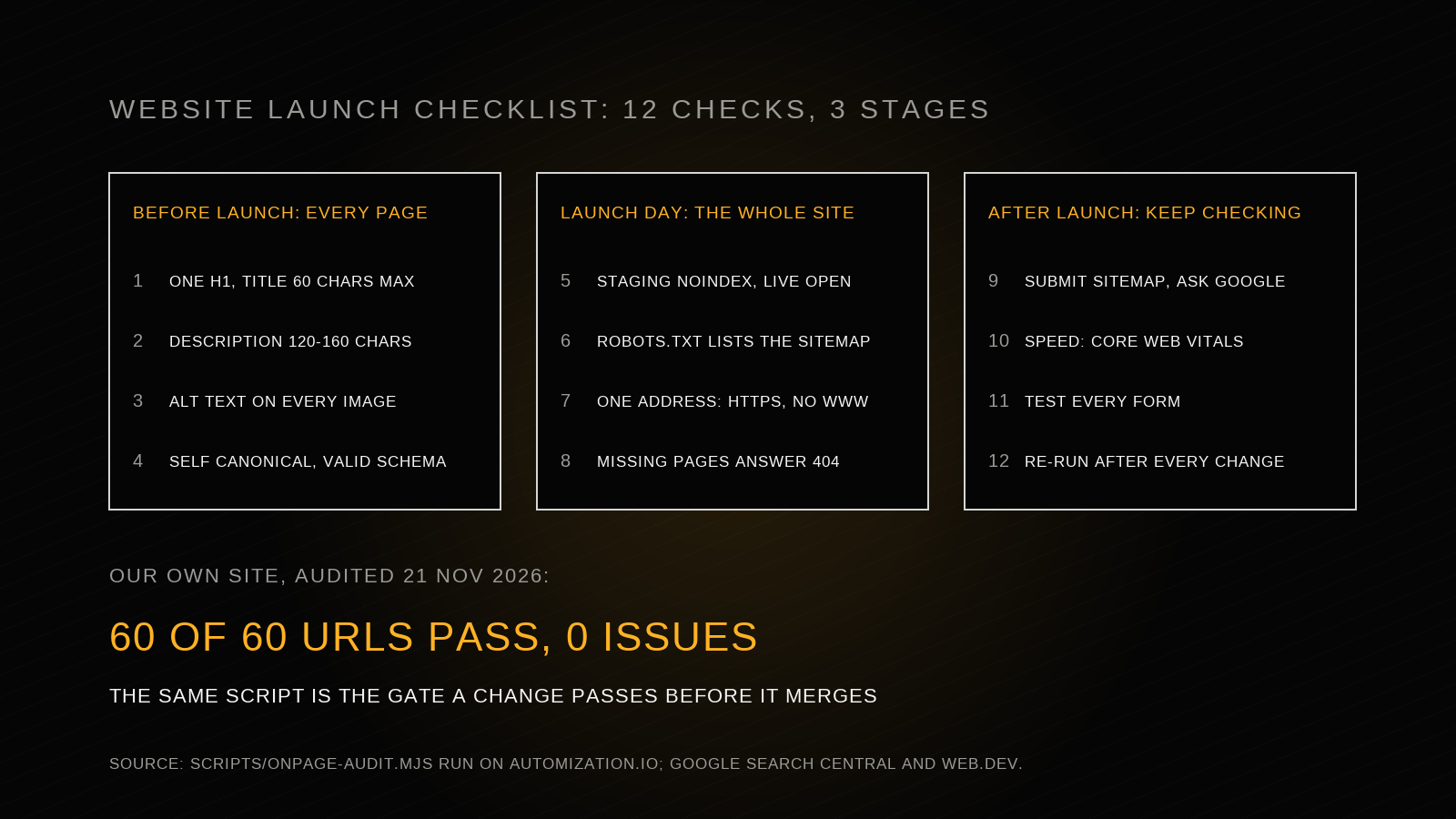
The short answer: a website launch checklist makes sure of three things before and just after you go live. Every page can be read and understood (one H1, a unique title, a description, alt text, a canonical tag, structured data that parses). The site answers on one address with nothing blocking search engines. And Google is told it exists, through a sitemap and a crawl request. Below are the 12 checks we use, in the order they happen.
We don't just recommend them. Before a change to automization.io merges, a script runs the page checks on every URL in our sitemap. On 21 November 2026 it checked 60 of 60 URLs and found 0 issues. Here's the checklist, how we test each item and what Google's own guides say about it.
What is on a website launch checklist?
Twelve checks in three stages:
| Stage | Check | How we test it |
|---|---|---|
| Before launch, every page | 1. One H1 and a title of 60 characters at most | Our audit script |
| Before launch, every page | 2. A meta description of 120 to 160 characters | Our audit script |
| Before launch, every page | 3. Alt text on every image | Our audit script |
| Before launch, every page | 4. A canonical tag pointing at itself, and structured data that parses | Our audit script |
| Launch day, whole site | 5. Staging set to noindex, the live site open | curl, headers |
| Launch day, whole site | 6. robots.txt allows crawling and lists the sitemap | curl |
| Launch day, whole site | 7. One address: http and www redirect permanently | curl |
| Launch day, whole site | 8. Missing pages answer 404 | curl |
| After launch | 9. Submit the sitemap and ask Google to crawl | Search Console |
| After launch | 10. Speed against Core Web Vitals | PageSpeed Insights |
| After launch | 11. Test every form and the analytics | By hand |
| After launch | 12. Re-run the checks after every change | Our audit script, before each merge |
If you're replacing an old site rather than launching a new one, you also need a redirect for every old URL. That's a separate job, covered in our website migration SEO checklist.
What do you check on every page before launch?
These four are the ones that are easy to get wrong on one page out of fifty, so we don't check them by eye. Our audit script (`onpage-audit.mjs`) reads the sitemap, opens every URL and tests each page:
1. One H1 and a short, unique title. The script fails a page with no H1 or more than one, and flags any title over 60 characters, which can be cut off in results. Google asks you to make sure "every page on your site has a title specified in the `<title>` element", to write "descriptive and concise" titles, and to avoid vague ones like "Home" (Google Search Central, title links).
2. A meta description. The script flags anything under 70 or over 160 characters. We aim for 120 to 160 so the description says what the page is and why to click.
3. Alt text on every image. Every `<img>` in the page's main content without an `alt` attribute is flagged. Alt text is what a screen reader reads out, and what tells search engines what the image shows.
4. A self-referencing canonical, and structured data that parses. Each page's canonical tag must point at its own address on the live domain, and every block of JSON-LD must be valid. Either mistake can quietly send Google to the wrong page or lose your rich results, so both stop the merge.
Here's what it found on our own site that day:
| What the audit checked | Result on automization.io, 21 November 2026 |
|---|---|
| URLs in the sitemap | 60 |
| Pages with exactly one H1 | 60 of 60 |
| Titles of 60 characters or fewer | 60 of 60 |
| Descriptions of 120 to 160 characters | 60 of 60 |
| Images without alt text | 0 |
| Wrong canonicals or invalid structured data | 0 |
A clean result isn't luck. The same script is our merge gate: we run it against the preview of a change before it merges, and a hard failure (a wrong H1 count, a bad canonical, broken structured data) stops the merge.
What do you check on launch day?
Four checks for the whole site. Each takes seconds with `curl -I` in a terminal, or any HTTP header checker.
5. Staging is hidden; the live site isn't. A test copy of your site shouldn't be in Google, and the live site must not carry the same block. Our preview sites send an `X-Robots-Tag: noindex` header on every host except automization.io itself. A `noindex` tells Google to "drop that page entirely from Google Search results". One catch: for `noindex` to work, the page "must not be blocked by a robots.txt file", because Google has to crawl the page to see the rule (Google Search Central, noindex). The most expensive launch mistake is a `noindex` left switched on in production, so check the live headers and page source on launch day.
6. robots.txt allows crawling and names the sitemap. Ours says `Allow: /` and ends with the sitemap's address. Google's guide says you can point to your sitemap with a line "anywhere in your robots.txt file" (Google Search Central, build and submit a sitemap).
7. One address. Pick one version of the domain and send every other version there with a permanent redirect. On our site, `http://automization.io` answers 301 to the https address and `www.automization.io` answers 308 to the bare domain. Without this, the same page can be reached at up to four addresses.
8. Missing pages answer 404. Request an address that doesn't exist. It should show a helpful page and answer with a real 404 status, not a 200. Google says it "doesn't index URLs that return a 4xx status code", and a page that says "not found" while answering 200 shows up in Search Console as a soft 404 (Google Search Central, HTTP status codes). Ours answers 404.
What do you do in the first days after launch?
9. Submit the sitemap and ask Google to crawl. Submit the sitemap in Search Console's Sitemaps report. Google calls that "merely a hint", not a promise, and a single sitemap is limited to 50,000 URLs or 50MB uncompressed (build and submit a sitemap). For the pages that matter most, use URL Inspection and click Request indexing; there's a daily limit on inspection requests for each property (URL Inspection tool). On our own site, when we sent that request the same day, Google crawled 11 of 11 new articles within 5 to 19 minutes of them going live (our indexing log). That's one site and a small sample, not a promise for yours.
10. Check speed against Core Web Vitals. The "good" thresholds are a Largest Contentful Paint within 2.5 seconds, an Interaction to Next Paint of 200 milliseconds or less and a Cumulative Layout Shift of 0.1 or less, measured at the 75th percentile of page loads (web.dev, Web Vitals). Run PageSpeed Insights on the homepage and your main landing pages, on mobile. Our own site scored 62 on mobile before five fixes took it past 90; the PageSpeed case study shows what each fix was.
PageSpeed Insights, mobile, 27 October 2026, from our PageSpeed case study. The hire AI developers page was then fixed for the same cause as the homepage.
11. Test every form and the analytics. Submit a real test entry on every contact form, booking link and checkout, and confirm the email or notification arrives where it should. Then check your analytics records the visit. A script can't tell you that a form's emails go to an old inbox.
12. Re-run the checks after every change. A launch checklist that's only run once misses the page added next month. We run our audit on the preview before a change merges, which is why the live result above is 0 issues and not a list of things that crept in.
What does a launch quote usually leave out?
Checks 5 to 9 and check 12. Design and build are in every web design quote. Launch-day checks and a way to keep running the page checks are the parts most likely to be missing, and a single `noindex` or a missing sitemap can keep a finished site out of Google.
| Ask the agency | Why it matters |
|---|---|
| "Will you remove every staging block and check the live headers on launch day?" | A `noindex` left on keeps the whole site out of Google |
| "Does every page get its own title, description and one H1?" | Duplicate or missing titles make pages hard to tell apart in results |
| "Will you submit the sitemap and request indexing for the main pages?" | It's free, and on our site it got new pages crawled within minutes |
| "What score does the site get in PageSpeed Insights on mobile?" | Speed is measured, so ask for the number |
Our web design service starts from $1,499, as a fixed project, and is guaranteed to go live by the agreed date and score 90+ on Google PageSpeed Insights, or we keep working free until it does. If you're still working out a budget, our guide to web design cost compares the options.
Common questions
What should be on a website launch checklist?
Page checks (one H1, a unique title, a meta description, alt text, a self-referencing canonical and valid structured data), launch-day checks (staging blocks removed, robots.txt and sitemap, one address, real 404s) and first-week checks (sitemap submitted, key pages requested in Search Console, speed, forms and analytics).
How long before launch should you start the checklist?
Run the page checks on the staging site as soon as the pages are built, so there's time to fix them. The launch-day checks can only be done on the live domain, on the day.
Should I submit my sitemap to Google on launch day?
Yes. Submit it in Search Console and list it in robots.txt. Google treats it as a hint, so also request indexing for your most important pages in URL Inspection.
How do I check a website isn't blocked from Google?
Check the live page's headers and source for `noindex`, and check robots.txt doesn't disallow the pages you want found. Then inspect the homepage in Search Console's URL Inspection tool, which reports whether Google can crawl and index it.
What is a good PageSpeed score for a new website?
We guarantee 90 or more on Google PageSpeed Insights. Google's own measures are the Core Web Vitals: LCP within 2.5 seconds, INP of 200 milliseconds or less and CLS of 0.1 or less.
Do I need a launch checklist if I'm replacing an old site?
Yes, and a migration checklist on top: every old URL needs a permanent redirect to its closest new page. Our website migration SEO checklist covers that part.
Launching a new site?
Book a 15-minute call about our web design service. You'll get a fixed price and a launch date in writing, with the 90+ PageSpeed guarantee, and the checks above are part of the launch. Afterwards, our website maintenance plan or SEO service can keep running them for you.
Sources
Google Search Central: influencing your title links, block indexing with noindex, build and submit a sitemap and HTTP status codes; Search Console Help, URL Inspection tool; web.dev, Web Vitals. All fetched 21 November 2026. Our audit result is our `onpage-audit.mjs` script run on automization.io on 21 November 2026; the launch-day results are the same site requested with curl that day. The crawl times are from our indexing log and the PageSpeed scores from our case study. Our price and guarantee are from our web design page.